Designing for Safety — Redesign
SafeRide
The project shows how design solutions can be easily executed in new ways by eliminating how many tasks a user must complete before the desired end goal is achieved. In this study, I used interviews and evaluations to better understand how user goals were being met, and how to make them easier to attain.
REDESIGN
USER SAFETY
REAL WORLD
Analyzing the App
Heuristic Evaluation
Visibility of Status
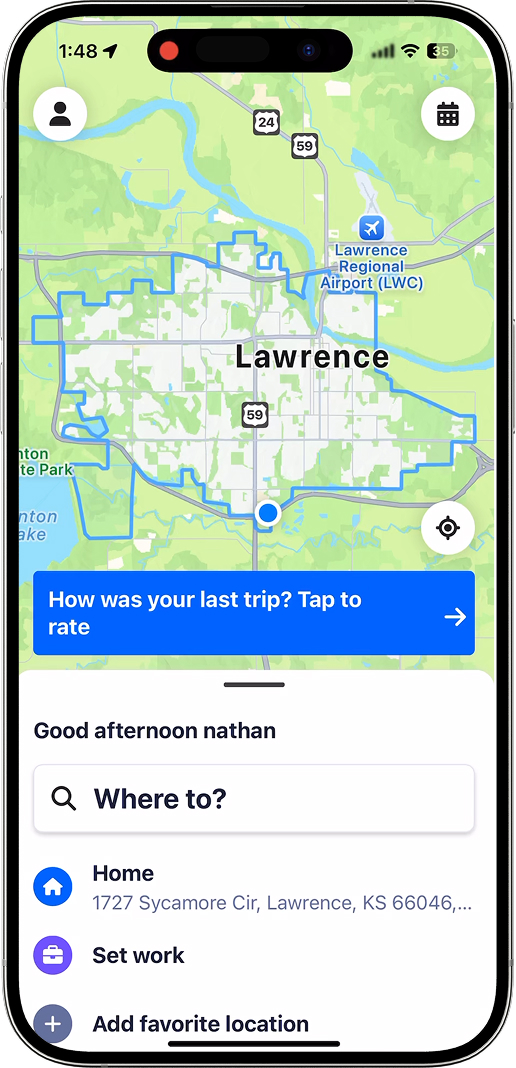
Large blue dot shows user location; bus appears only near arrival time.
User Control and Freedom:
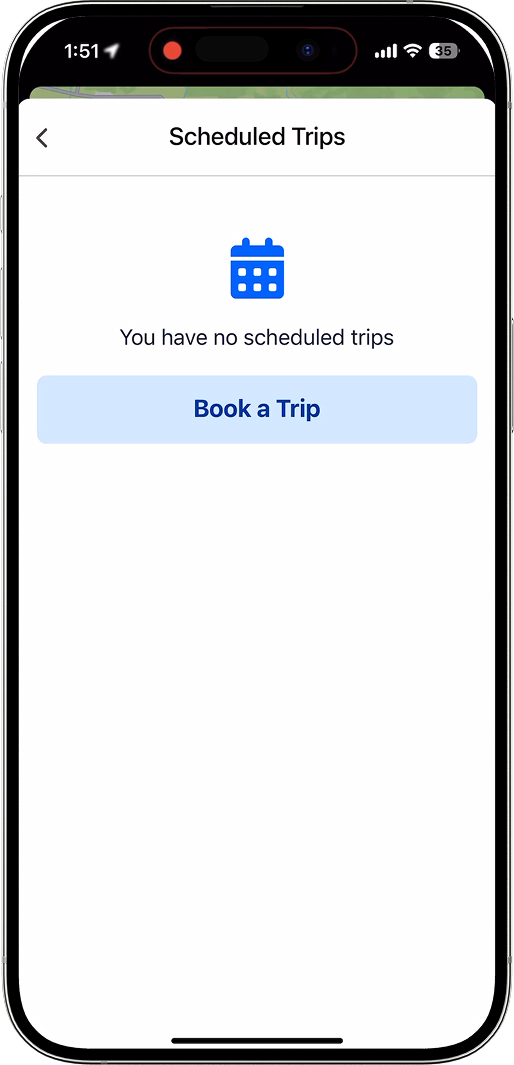
"Where to" removes map view, shifting users into text-based destination selection.
Error Prevention:
Rides limited to service hours; multiple buttons may confuse intoxicated users.
Diving Deeper
Interview with SafeRide Driver
Before there was an app... you would call us, and you could plead your case, like, if you were a lost girl that just got abandoned by all your friends, you could tell the dispatcher, and she would send the very closest or next available car, and we were there in five minutes.
First problem statement
How can SafeRide prioritize their rider queue based on circumstance?
User Persona
Who is using the app and how can we cater towards them?
Freshmen
Riley Thompson
Travel habits:
Has her own car
Drives to and from school
Doesn't like spending money on Uber
Frustrations
Doesn't want to walk home 3 miles
Doesn't like paying fees
Doesn't want to drunk drive
Tech Habits
Constantly on phone
Battery drains quickly
Goals and wants:
Wants to be able to get home without paying a hefty fee
Want's to get home with a press of the button.
Analyzing the App
User Flow
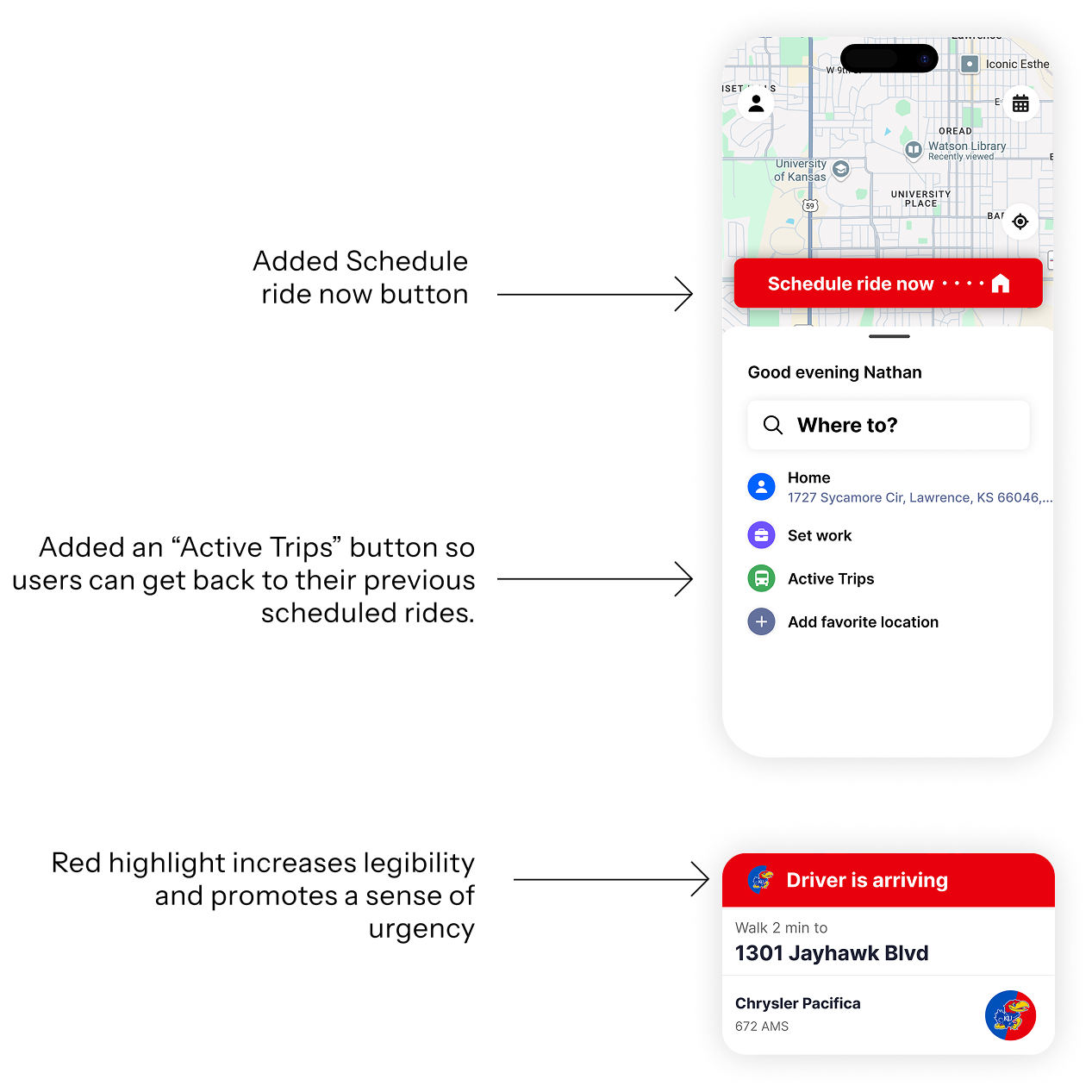
There were far too many screens for intoxicated or unsafe students to navigate through. With today's tech, safe ride should be able to use your current location to minimize time spent on requests, therefore eliminating the need for certain screens within the user flow
Fixing the Flow
Implementing changes
Way too many screens for intoxicated or unsafe students to navigate through.
With today's tech, safe ride should be able to use your current location to minimize time spent on requests.
Ease of Use (10 = Easy)
Quantitative Comparison
| Sober | Intoxicated | ||||
|---|---|---|---|---|---|
| Old Interface Ease | New Interface Ease | Old Interface Ease | New Interface Ease | Used new button | |
Logan | 7 | 10 | 4 | 9 | Yes |
Maya H | 9 | 10 | 7 | 8 | Yes |
Syd | 8 | 10 | 7 | 10 | No |
Maya W | 7 | 9 | 4 | 7 | No |
Sophia | 8 | 9 | 7 | 8 | No |
Prototype
Final Figma Prototype
Through the final prototype, I was able to successfully lessen the amount of interactions between screens of the experience, reducing friction for users who may be in vulnerable or unsafe situations.